
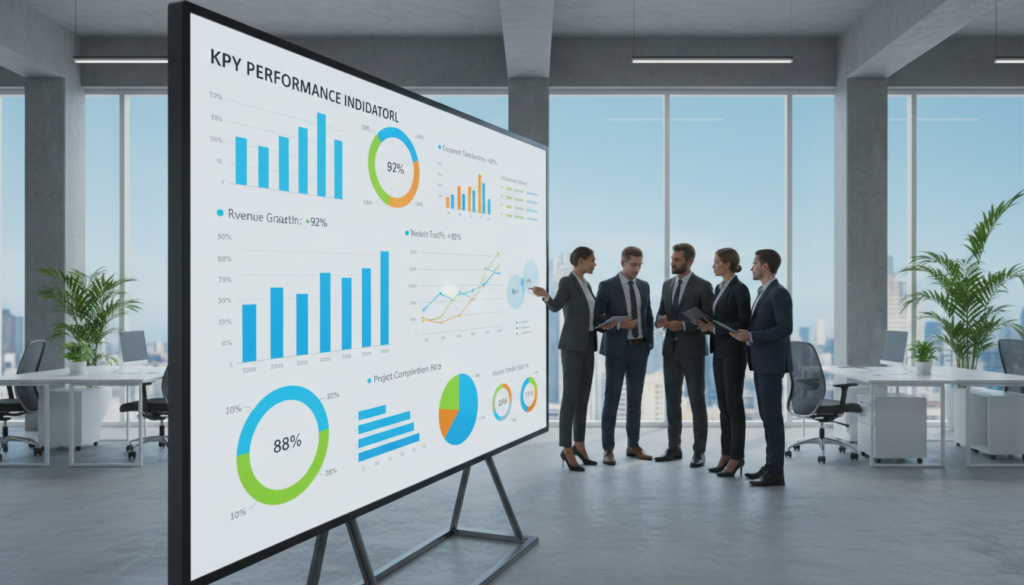
Did you know that organizations using data-driven tools are 23% more likely to outperform competitors in profitability? In today’s fast-paced market, from Silicon Valley to the thriving tech hubs of Kuala Lumpur, simply having data isn’t enough. You need a clear, actionable view of it.
A KPI dashboard acts as your company’s live scorecard. It measures progress toward your most critical objectives. This vital tool turns overwhelming numbers into a simple story about your organization’s health.
We see too many teams lost in spreadsheets, unsure if their efforts drive real growth. Our guide cuts through the noise. We provide the steps to build a visual command center that transforms raw data into insights your team can act on immediately.
By monitoring the right metrics, you ensure every department moves in sync. Everyone stays aligned with the core goals of your growing company. A well-structured foundation supports smarter, faster decisions.
This isn’t just about pretty charts. It’s about creating a system for measurable success. Let’s master the art of data visualization together. We’ll ensure your reporting is accurate, effective, and a catalyst for sustained performance.
Key Takeaways
- A KPI dashboard is a live scorecard that tracks progress toward business goals.
- Data-driven organizations have a significant competitive advantage.
- The right dashboard transforms complex data into clear, actionable insights.
- Alignment across all departments is crucial for achieving long-term success.
- Effective data visualization is key to accurate and impactful reporting.
- Building a powerful dashboard is a strategic step for informed decision-making.
- This guide provides a practical framework to create your own performance tracking tool.
Introduction: The Importance of KPI Dashboards
The foundation of any thriving organization lies in its ability to measure what truly matters. Without clear metrics, even the most dedicated efforts can become directionless. A visual command center solves this by providing a single source of truth for your entire team.
This tool transforms scattered information into a coherent story. It highlights progress and pinpoints areas needing attention. Your team gains a shared understanding of where the business stands.
An Overview of Key Performance Indicators
A key performance indicator is a measurable value. It shows how effectively you are meeting your goals. Think of it as a signpost on the road to your objectives.
These indicators turn abstract aims into trackable numbers. They answer critical questions about efficiency, growth, and health. Selecting the right ones is the first step to gaining control.
Our Commitment to Data-Driven Success
We view these visual tools as essential ingredients for lasting performance. Our commitment means we prioritize them to evaluate business strategy. They are not just about numbers.
They tell the compelling story of your business health. By tracking the right information, your team stays aware of progress. This alignment is the cornerstone of informed action and sustained success.
Understanding KPIs and Their Role in Business Performance
Without a compass of concrete figures, even the most visionary plans can drift off course. Key performance indicators provide that essential guidance. They translate your strategic vision into a series of measurable checkpoints.
Defining KPIs and Their Impact
We categorize these indicators into two primary types. High-level KPIs measure the overall health and success of your entire business. They give you a panoramic view of company performance.
Low-level metrics track the progress of specific teams and daily projects. This distinction is crucial for effective management. Not every tracked data point qualifies as a key indicator.
Only the most relevant metrics should earn a spot on your primary reports. Focusing on high-level goals allows for better strategic assessment and timely adjustments.
Aligning Business Goals with Metrics
The true power of this system lies in alignment. When you connect company objectives to specific KPIs, every team member sees their contribution. This clarity fosters a unified effort across the organization.
Clear metrics quantify your team’s progress toward long-term objectives. They turn abstract ambition into a trackable journey. This alignment is the engine for sustained, measurable growth.
Exploring Different Types of KPI Dashboards
Not all performance tracking tools serve the same purpose across an organization. Different teams and management levels require tailored views to monitor their specific goals effectively. We categorize these visual tools into four primary types.
Executive Scorecard
Senior leaders need a high-level overview of business health. This scorecard summarizes critical outcomes. A hospital group in Northwest England uses an executive dashboard to track patient experience and staff dynamics.
Operational View
This tool focuses on daily activities and real-time conditions. It provides a clear view of ongoing operations. A police force utilizes an operational dashboard to monitor crime volume and incident locations.
Tactical Analysis
Middle management uses tactical reports to drill into specific trends. These reports help improve processes and customer interactions. A software vendor identifies customer journey patterns to refine their overall business strategy.
Analytical Deep Dive
Data analysts rely on this for deep insights and forecasting. It involves complex data modeling. A CPG company tracks marketing metrics and forecasts market share growth against competitors.
These four types allow different management teams to gain specific insights tailored to their unique requirements.
Key Considerations in Designing a KPI Dashboard
The difference between a useful tool and a confusing one often comes down to two core design considerations: audience and purpose. A powerful KPI dashboard must be built with its end-users in mind from the very first sketch.
Identifying Your Audience
You must know who will view this report. Is it a busy executive, a data analyst, or a department head? Each role within your organization has unique needs.
A leader may only have seconds to grasp the big picture. An analyst needs details to explore trends. Design for the viewer’s context and available time.
| Audience Type | Primary Focus | Time Available | Key Need |
|---|---|---|---|
| Executive | Strategic health & goals | 15-30 seconds | High-level summary |
| Analyst | Root causes & trends | Minutes to hours | Drill-down capability |
| Operational User | Daily performance | 1-2 minutes | Actionable alerts |
Determining Dashboard Purpose and Usability
Every visual report must have a clear job. Is it for monitoring real-time operations or for monthly strategy reviews? Define this first.
We recommend you prioritize the most critical information at the top. This ensures key takeaways are immediately visible. Provide simple, consumable data to keep the tool usable for all stakeholders.
Understanding the viewer’s context is critical. It delivers accurate, frustration-free reporting that drives action.
Best Practices for Creating a kpi dashboard
The most impactful dashboards are born from a deliberate process that prioritizes relevance and clarity above all. Adhering to proven guidelines ensures your visual report drives meaningful action and aligns teams toward common objectives.
Selecting the Most Relevant Metrics
We begin by defining the right performance indicators. As Jennifer Aaker from Stanford Graduate School of Business emphasizes, telling a story with your data is essential for success.
Collaborate with key stakeholders to identify metrics that mirror strategic business goals. Remember, these kpi measures are not static. They must evolve with competitor entry and shifting customer behavior.
Streamlining Data Visualization for Clarity
Once metrics are set, focus on presentation. Streamline your charts and graphs to avoid clutter. A clean layout ensures that key trends are immediately visible to all users.
Test your visualizations with trusted colleagues before a full rollout. This step helps identify what works and what needs improvement, ensuring your kpi dashboard remains an effective, frustration-free tool.
Design Principles for Effective Data Visualization
Effective data visualization hinges on principles that guide the eye and clarify complex information. How you present your metrics determines whether your audience grasps the story quickly or gets lost in the details.
We apply these core design rules to ensure your visual reports drive action, not confusion.
Simplicity and Information Hierarchy
People naturally scan information in an F-shaped pattern. They look across the top, then down the left side. We structure your dashboard to match this flow.
Place your most critical data and charts in these high-attention zones. Avoid flashy 3-D graphs that distort values and distract from the core message.
Flat, two-dimensional visuals present numbers with clarity and honesty.
| Principle | Purpose | Practical Example |
|---|---|---|
| Simplicity | Reduce cognitive load for faster understanding | Use clean, 2-D bar charts instead of complex 3-D versions |
| Information Hierarchy | Guide the user’s attention to key metrics first | Position primary performance indicators in the top-left corner |
| Color Accessibility | Ensure inclusive interpretation for all users | Pair colors with distinct patterns (like stripes or dots) on lines |
| Visual Cues | Indicate interactive elements clearly | Underline text or change button color when it is clickable |
Color Accessibility and Visual Cues
Many users have limited color vision. Relying solely on color to convey meaning can exclude them. We incorporate accessible palettes and add textures to charts.
Visual cues like underlines or icon changes show when an element is interactive. This makes navigation intuitive. Remember, less is more.
A crowded dashboard overwhelms users. Prioritize only the most actionable data on each screen to maintain focus and utility.
Leveraging Data to Drive Business Decisions
Timely insights empower teams to pivot strategies and capitalize on emerging opportunities before they fade. The true power of your performance tracking system is unlocked when it fuels action.
Moving from observation to execution requires a framework built for speed. Your visual report must deliver clarity when it matters most.
Real-Time Reporting Benefits
Real-time reporting allows you to assess performance and make smarter business decisions quickly. You track data accurately, eliminating guesswork.
This immediacy helps you identify issues and react promptly. It transforms your dashboard from a history book into a live navigation tool for your company.
Fostering a Data-Driven Culture
Sharing a kpi report across units builds a shared language of progress. It encourages a culture of discovery where evidence guides action.
When employees trust the data, they use it to drive innovation. This is the secret to building a data-driven culture that improves overall organizational health.
Specialized software can make this process seamless. Never miss a trend again. Use your tools to monitor progress and spot opportunities for better decisions every day.
Essential Tools and Templates for Dashboard Development
Professional tools and pre-built frameworks accelerate the creation of your performance tracking center. The right selection saves your team from building complex reports from scratch.
We focus on two core resources: visualization platforms and adaptable starting layouts. These elements form the practical foundation for your reporting system.
Popular Data Visualization Software
Leading platforms like Looker, Tableau, Klipfolio, and Chartmogul turn data into clear visuals. These tools are designed for powerful analysis.
Their strength lies in seamless integration. They connect directly to sources like Google Analytics, Salesforce, and HubSpot.
This brings all your sales and marketing information into one place. Your team gets a unified, real-time view without manual data merging.
Customizable KPI Dashboard Templates
Using pre-built layouts offers significant time and cost savings. You adapt a proven structure instead of designing a new one.
These templates provide centralized reporting for crucial kpi metrics. Teams can track progress in the software they prefer while maintaining alignment.
We suggest testing different tools to find the best fit for your needs and budget.
| Software | Primary Strength | Common Use Case |
|---|---|---|
| Looker | Embedded analytics & data modeling | Large-scale business intelligence |
| Tableau | Interactive visual exploration | Deep-dive analysis for teams |
| Klipfolio | Real-time metric dashboards | Marketing & operational monitoring |
| Chartmogul | Subscription analytics | SaaS revenue and growth tracking |
Getting in Touch for Expert Assistance
Even the most sophisticated data tools require expert guidance to deliver maximum impact. Implementing a powerful system is just the beginning. The real value comes from tailoring it to your unique business context.
Our team provides the specialized support to ensure your investment pays off. We help you move from basic tracking to strategic insight that drives action.
Please WhatsApp to +6910-3156508 for More Information
Reaching out via WhatsApp connects you directly with our consultants. This allows for a quick, personalized discussion about your specific needs and goals.
We offer comprehensive assistance to transform your data strategy:
- Receive personalized guidance on selecting the right kpi metrics aligned with your objectives.
- Access expert resources to build, refine, and maintain an effective reporting dashboard.
- Get help generating accurate reports that provide deep insights into performance and growth.
- Streamline data processes specifically for your organization‘s structure and workflow.
Let us handle the technical complexities. You can then focus on making the strategic decisions that matter most. Please WhatsApp to +6910-3156508 to begin your journey toward data-driven excellence.
Conclusion
Building a central hub for your key metrics is not a one-time project, but an ongoing journey of refinement. Your performance tracking must evolve with your company’s shifting targets and market rate.
Focus on clear analysis and accurate reports to track progress toward business goals. This practice is fundamental for maintaining a healthy organization.
We encourage you to utilize customizable templates and software resources. This approach reduces the cost and time needed to build your reporting charts.
With the right approach, your KPI dashboard becomes the central place for all strategic decision-making. It transforms from a simple report into a living document that drives real, measurable growth.
FAQ
Why are these performance tracking tools so critical for modern organizations?
They provide a centralized, real-time view of critical business health indicators. This allows teams to move faster, make informed choices based on facts, and clearly communicate progress toward objectives across the entire company.
How do we ensure our metrics align with our strategic goals?
Start by defining your top-level objectives. Then, work backward to identify the specific, measurable indicators that directly reflect progress toward those aims. Each metric should tell a clear story about your success.
What’s the difference between an executive view and an operational one?
An executive summary focuses on high-level outcomes and trends, like overall revenue growth or market share. An operational display drills into the granular processes and daily data that drive those results, such as production line efficiency or customer support ticket volume.
Who is the primary audience we should design for?
The design must cater to the end-user’s needs. A view for a CEO will look vastly different from one for a marketing manager. We always identify the user’s key decisions and information requirements first to ensure the tool is immediately useful and actionable.
How many indicators should we include to avoid clutter?
A>Less is often more. We recommend selecting only the most relevant metrics that directly inform decision-making. A cluttered interface hides important insights. The goal is clarity, allowing users to grasp their status at a glance.
What are the best design practices for clear data visualization?
We prioritize simplicity and a strong visual hierarchy. Use consistent, accessible color schemes to encode meaning—like red for areas needing attention. Choose the right chart type for the data, and always include clear labels and context.
Can these systems truly foster a data-driven culture?
Absolutely. When real-time information is transparent and accessible to all teams, it encourages accountability and evidence-based discussions. It shifts conversations from opinions to measurable results, uniting everyone around shared targets.
What software tools do you recommend for building these analytical views?
Powerful platforms like Tableau, Microsoft Power BI, and Looker Studio are excellent choices. They offer robust connectivity to data sources and flexible design options to create interactive, insightful reports tailored to your business.
How can we get expert help building our first performance dashboard?
We’re here to assist. For a detailed consultation on crafting a powerful tool for your team, please reach out to us directly on WhatsApp at +6910-3156508. Let’s discuss how to turn your information into actionable insights.